SSH port forwarding GUI
Local and remote forwarding, dynamic SOCKS5, multi-hop jump hosts, SSH command and config import.
Import SSH -L/-R/-D commands and config →SSH port forwarding and localhost tunnels in one app
 Windows
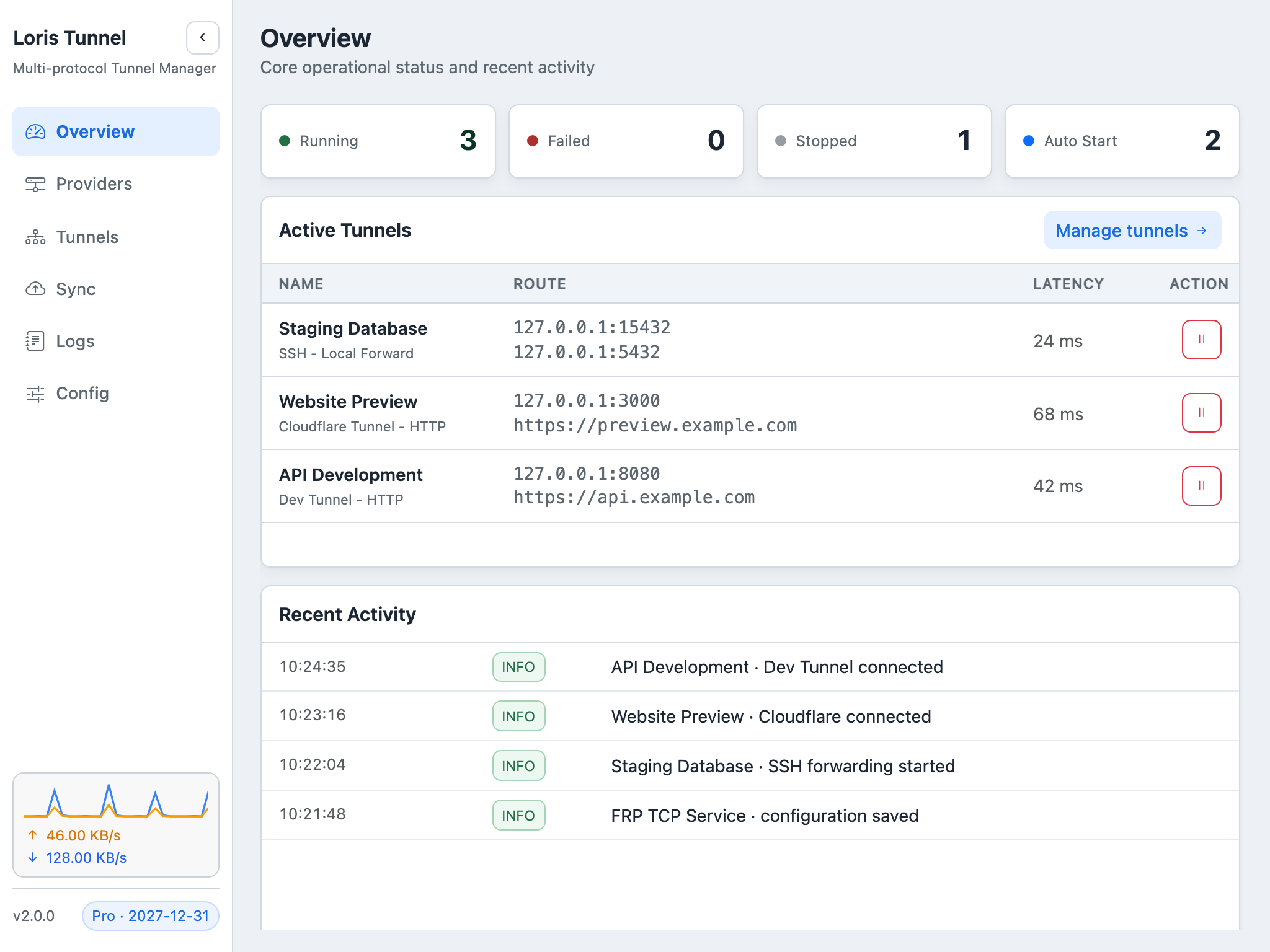
Browse screenshots with the arrows or swipe; select an image to view it full-size.
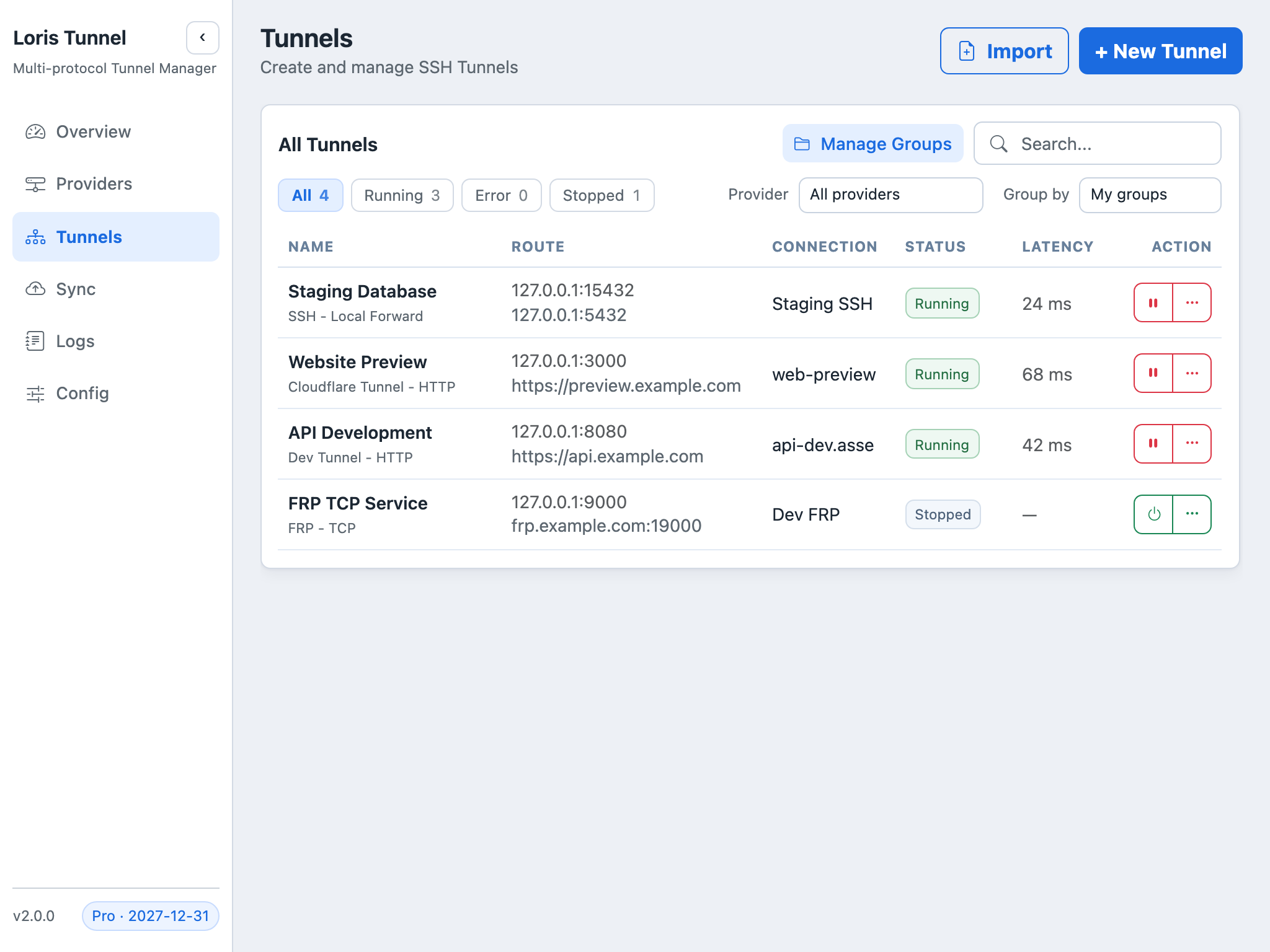
Organize SSH port forwarding, Dev Tunnel, Cloudflare and FRP connections in one list.
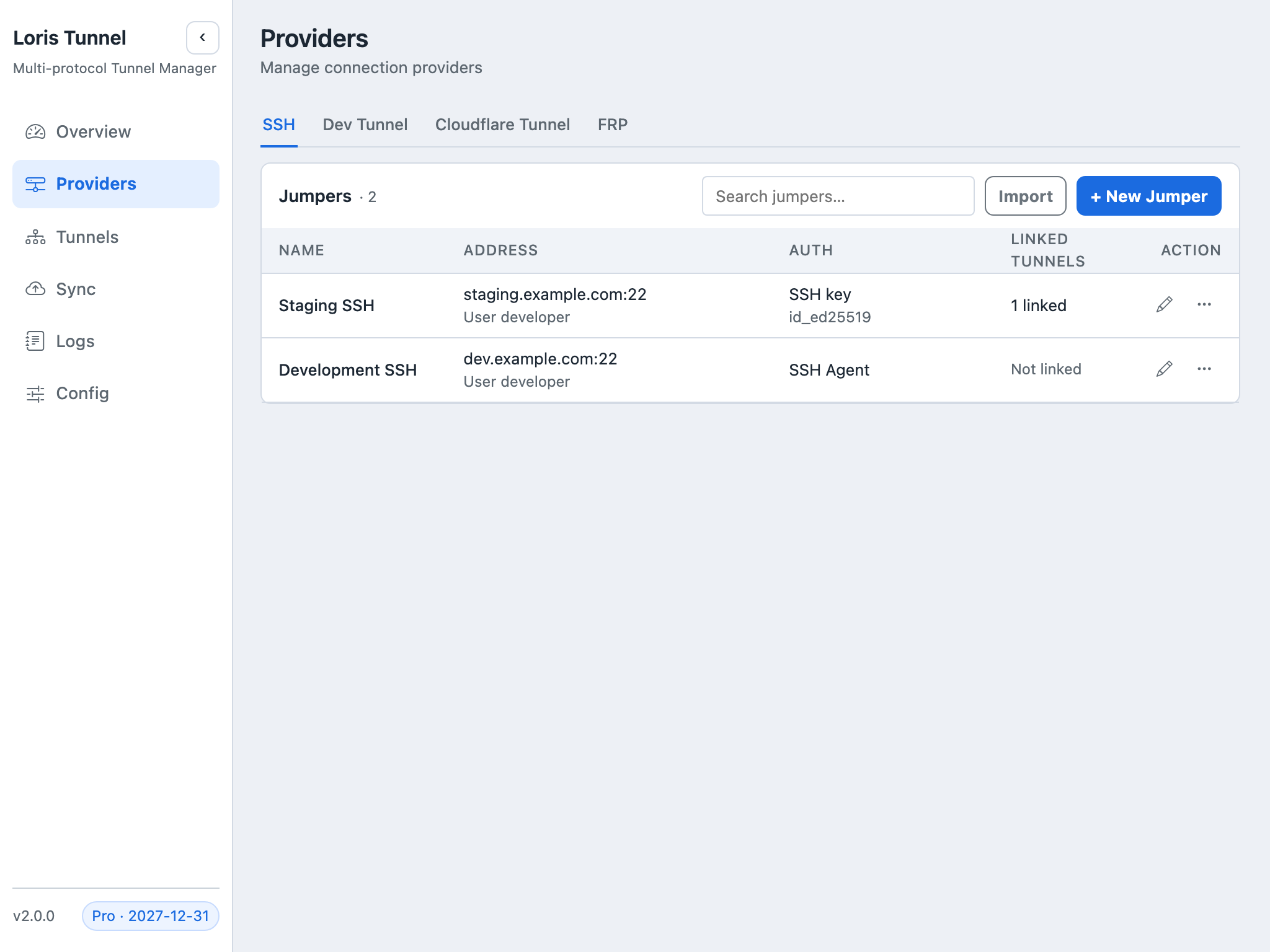
Manage authentication, jump hosts and the SSH tunnels associated with each host.
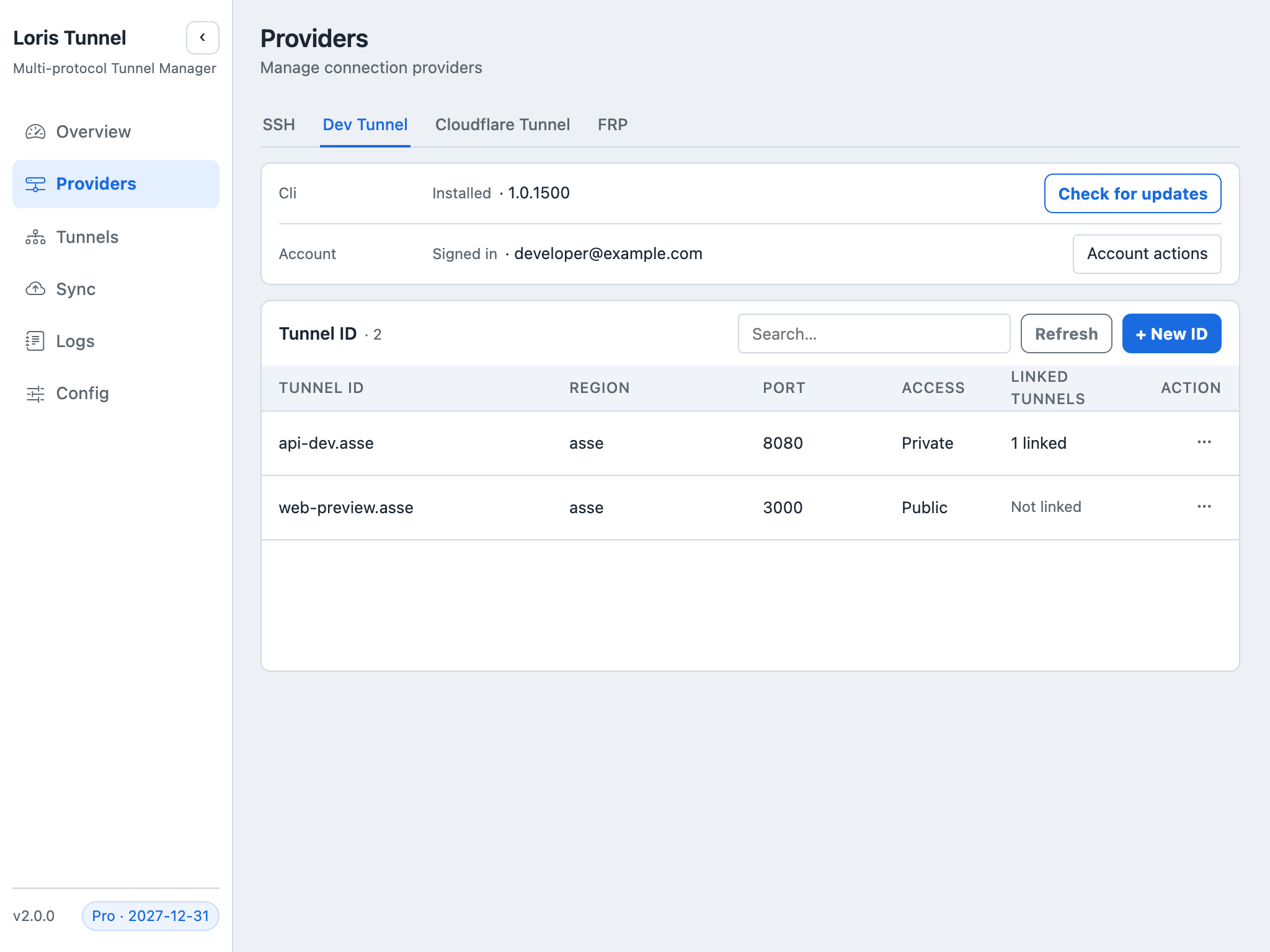
Install the CLI, sign in, and manage tunnel resources from the desktop app.
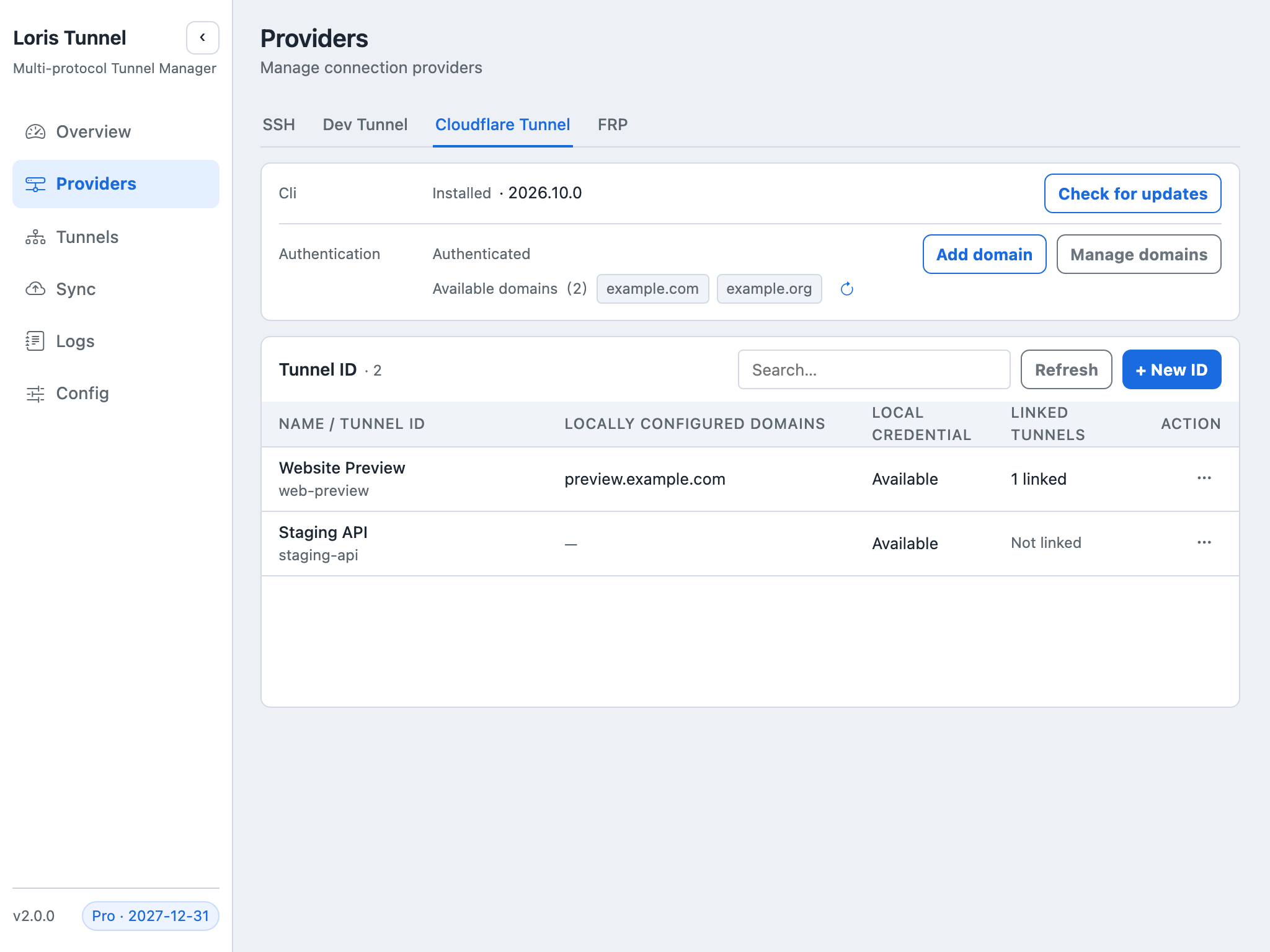
Manage domain authorizations and named tunnels in one interface.
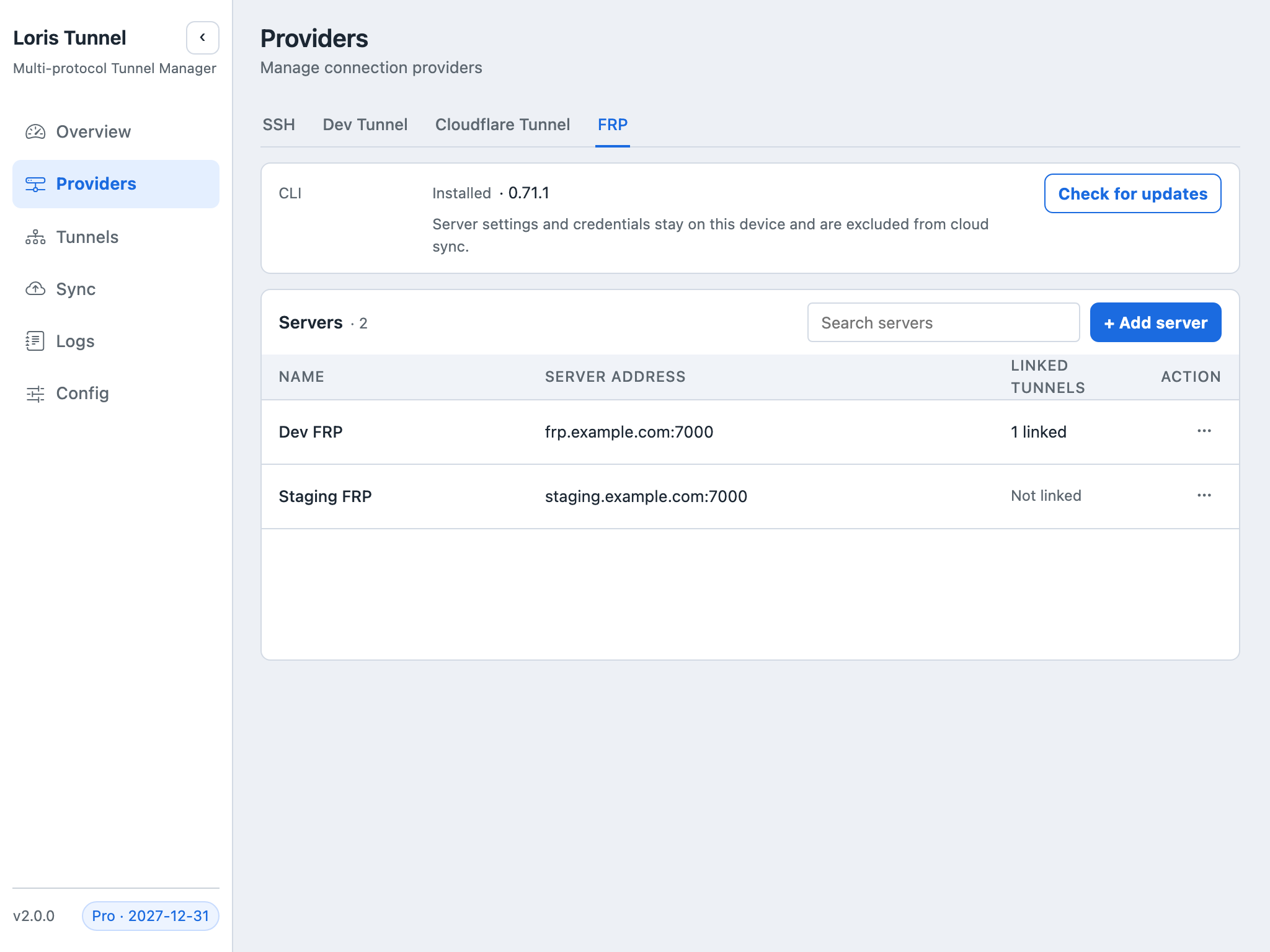
Configure frpc TCP and HTTP routes and connect your existing FRP servers.
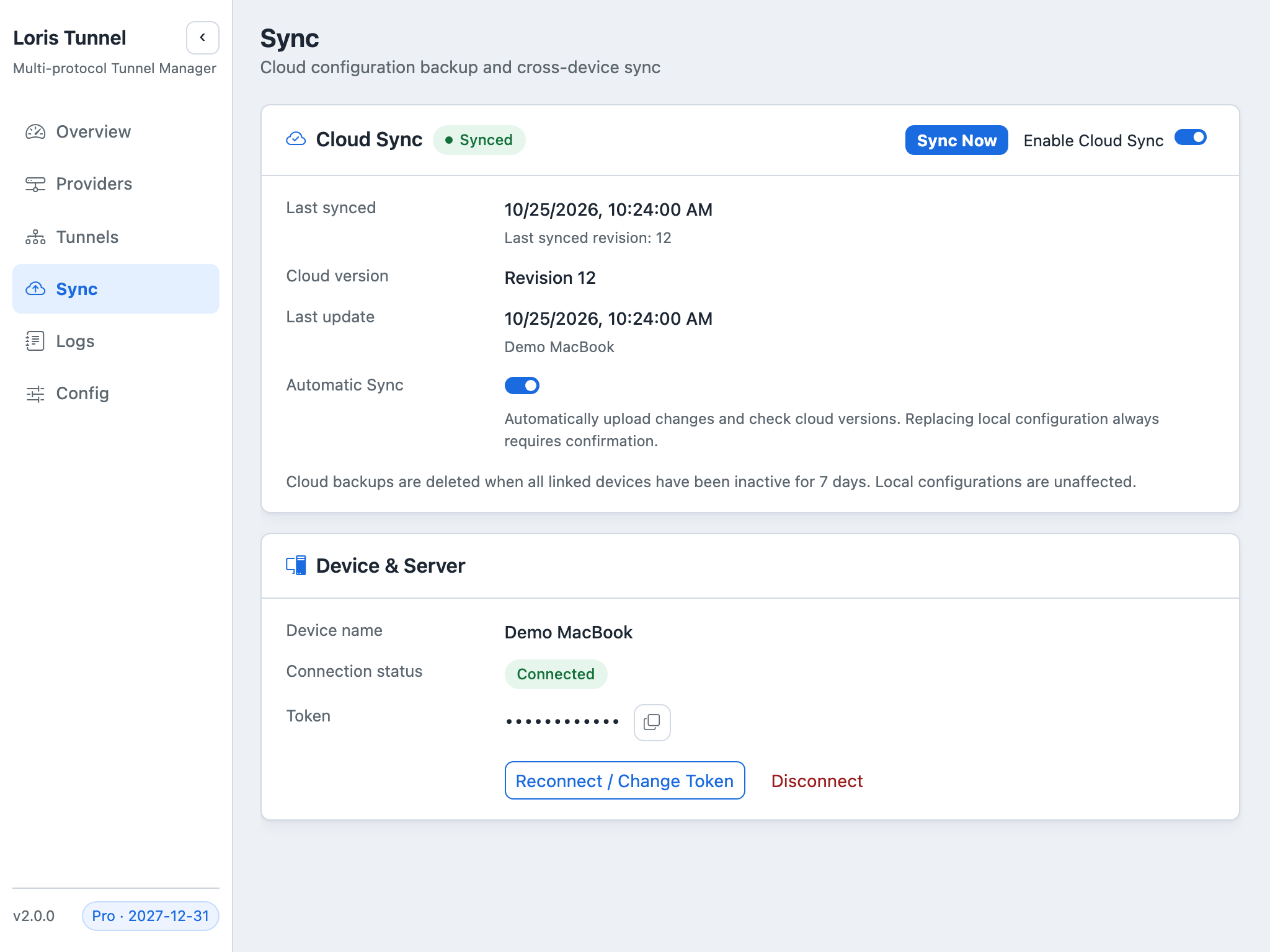
Inspect configuration versions, linked devices and connection status.
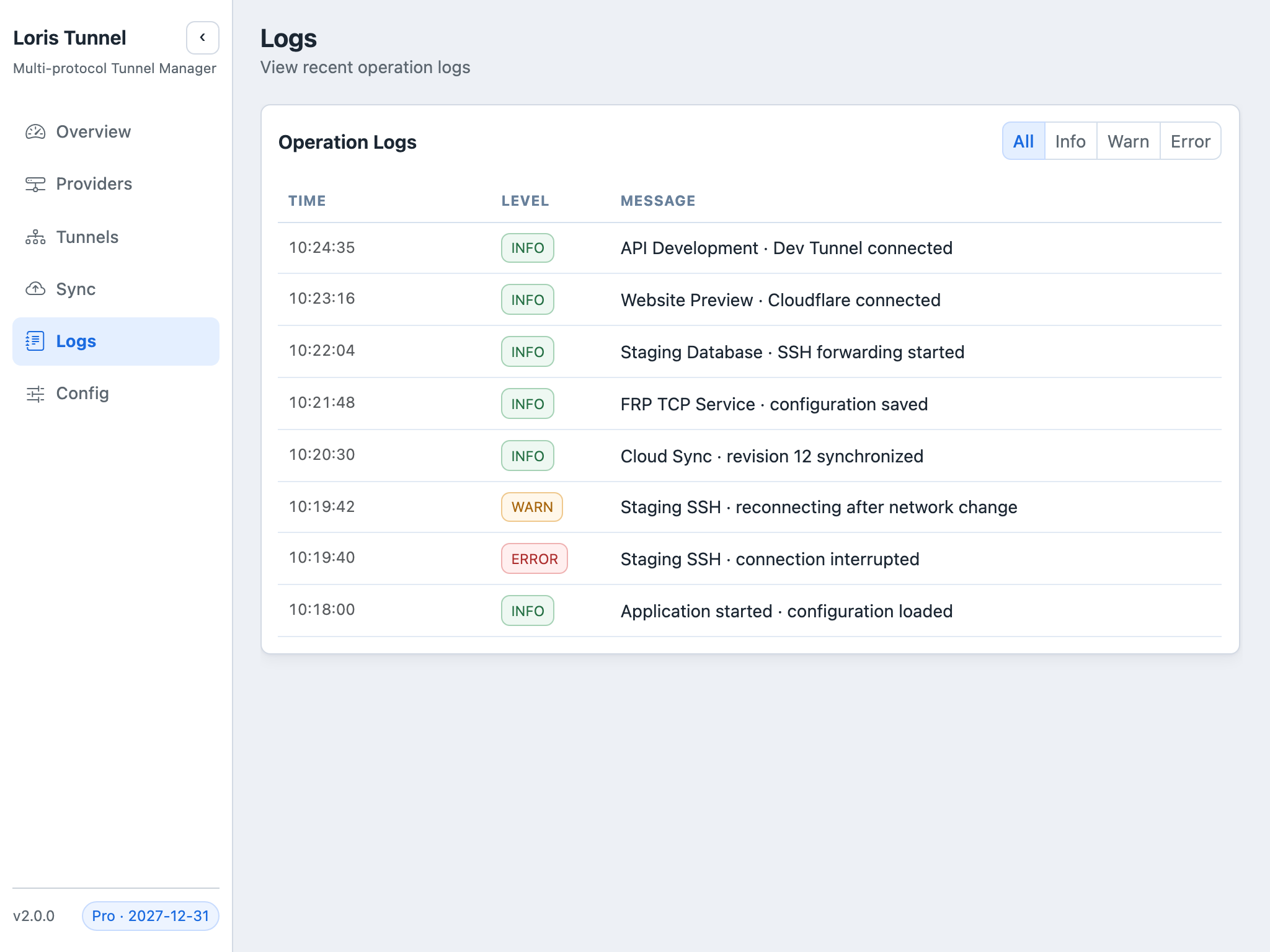
Follow connection events, warnings and errors.
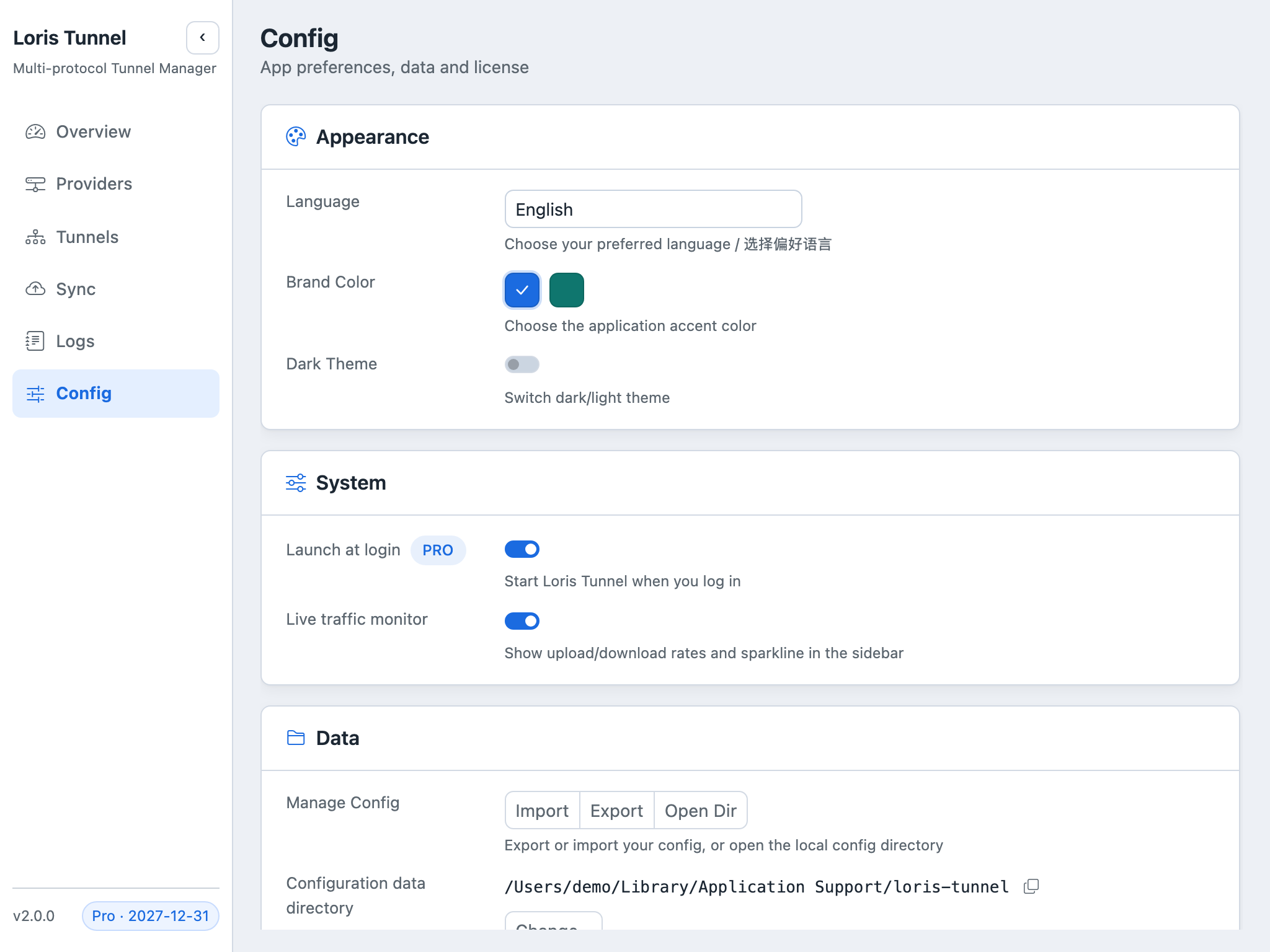
Manage appearance, startup preferences and configuration files.
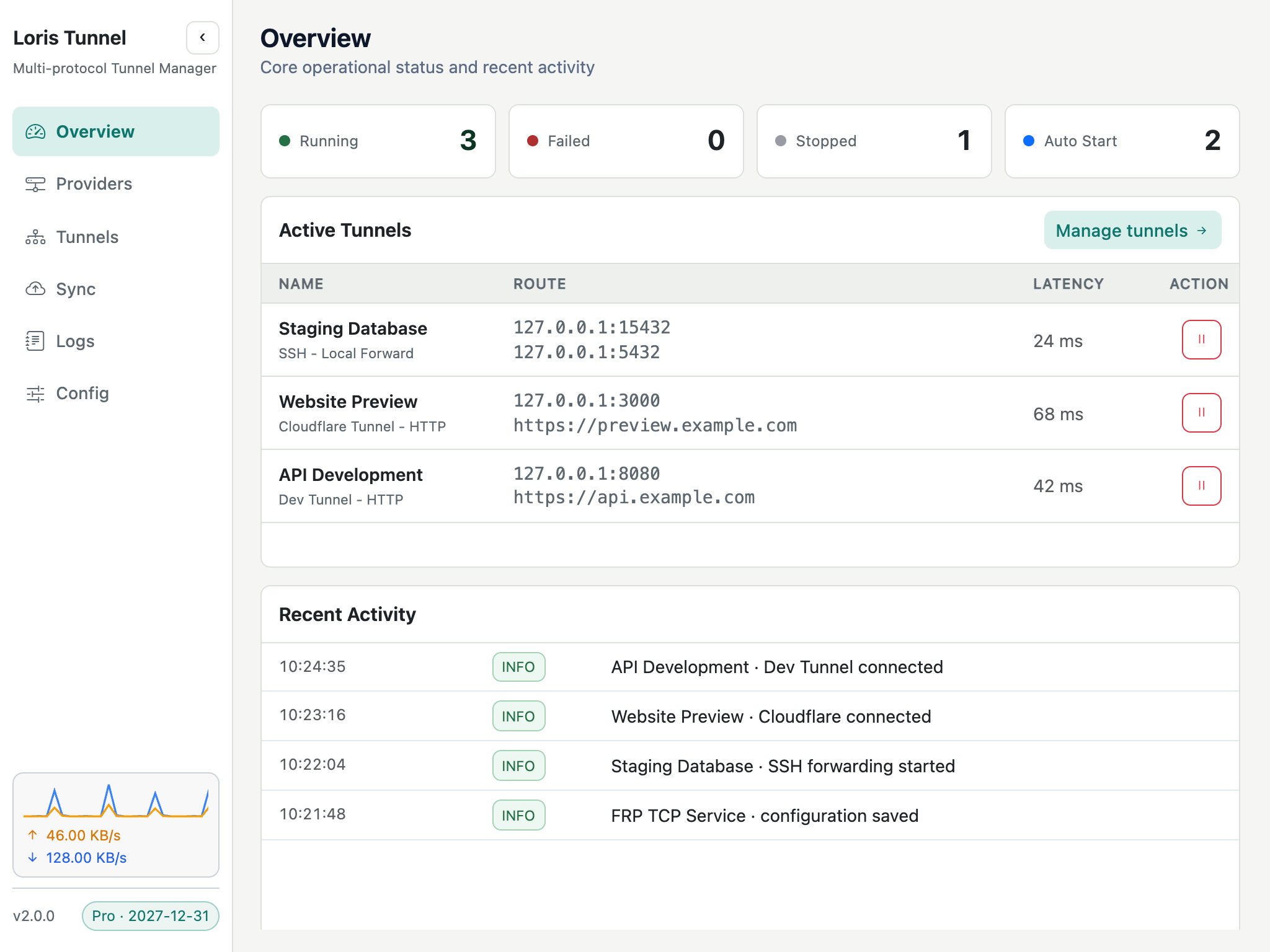
Choose the green accent palette for a different look across the desktop app.
Screenshots show demonstration data, not live connections. Guides describe the current source version; see release notes for features available in your installed build.
Local and remote forwarding, dynamic SOCKS5, multi-hop jump hosts, SSH command and config import.
Import SSH -L/-R/-D commands and config →Publish local services from one desktop interface, including an FRP client GUI for your own frps server.
Compare Dev Tunnel, Cloudflare and FRP guides →Organize tunnels, duplicate configurations and select which connections start with the app.
Manage tunnels that start with the app →Inspect connection status, provider-dependent latency, traffic and recent events.
Diagnose SSH and tunnel connection problems →With an active Pro license, back up your configuration and review cloud versions before restoring.
See what cloud backup includes →Light and dark themes, five interface locales and a configurable data directory.
Change the configuration directory →Free users can run up to three tunnels across all providers, including starting and reconnecting tunnels. Active Pro removes this application limit and enables cloud backup. Provider quotas still apply. View pricing →
Choose your platform. See release notes and available versions before installing.
Install easily and receive updates through Microsoft Store.
Get it from Microsoft Store ↗Download the Windows .exe installer directly.
Download .exe ↓One installer for Apple Silicon and Intel Mac.
Download .dmg ↓Yes. What you need depends on the provider: Dev Tunnel requires a GitHub or Microsoft account; the current Cloudflare integration requires a domain on Cloudflare; FRP requires your own reachable frps server. Explore the setup guides →
Choose SSH for accessing remote services such as databases and configuring port forwarding. Use Dev Tunnel for sharing local development services, Cloudflare Tunnel for publishing web services on a custom domain, or FRP to connect to your own frps server. Find a guide for your use case →
Yes. Use a suitable tunnel to make your local HTTP or HTTPS service accessible externally. Both the local service and tunnel must stay running. Webhook senders need direct access to the endpoint; private Dev Tunnel endpoints may require visitors to sign in. Learn about sharing and access permissions →
Yes. Loris Tunnel can import ssh -L, -R and -D commands and SSH configuration to create forwarding configurations. Review the host, ports and authentication details before connecting. Read the SSH import guide →
A running tunnel does not guarantee that the local service, DNS and access permissions are ready. Check the local service first, then review ports, protocols, hostnames and logs. Private Dev Tunnel endpoints require authentication as part of their access controls. Troubleshoot the connection →
The app attempts to reconnect established connections after they drop. You can also enable Start with app for individual tunnels; launching the app when you sign in to your operating system is a separate setting. Reconnection cannot fix invalid credentials or a stopped local service. Learn about startup and reconnection →
The free plan runs up to three concurrent tunnels across all providers, including tunnels that are starting or reconnecting. An active Pro license removes that application limit and enables cloud backup. Provider quotas still apply. View pricing →
Windows through the Microsoft Store or a direct .exe installer, and macOS through a universal DMG for Apple Silicon and Intel Macs.
Questions or feedback? Email admin@lorisdev.cc or join QQ group 1009737419.